Your homepage might get the spotlight, but your HVAC service pages are where the real business happens. They’re the pages that actually explain your heating and cooling services, answer customer questions, and convince people to take the next step, whether that’s booking an AC repair, requesting a furnace installation quote, or scheduling seasonal maintenance.
That’s why knowing how to optimize an HVAC website service page is so important. With smart optimization of your HVAC service pages, your business can climb local search rankings and attract homeowners who are actively looking for HVAC help. Website service page optimization isn’t about stuffing keywords; it’s about clear structure, easy-to-read content, and strong calls-to-action that get the phone ringing.
When you combine different strategies, like general SEO for service pages, detailed on-page optimization, and location-focused local SEO for service pages, you create HVAC pages that not only rank well but also convert visitors into booked jobs.
In this guide, we’ll break down exactly how to perfect your HVAC service pages step by step, so you can rank higher, earn more clicks, and turn visitors into loyal customers in your service area.
What Is SEO For Service Pages
When we talk about SEO for service pages, we’re simply talking about making your service pages easier for both people and search engines to understand. Think of it as a set of tools that help your page show up higher in Google while also convincing visitors to stick around and take action.
Here are the main elements that go into service page SEO:
On-Page SEO for Service Pages
This covers everything you can control on the page itself. That includes:
- Choosing the right keywords that your customers actually search for
- Using clear headings, titles, and meta descriptions
- Structuring content so it’s easy to read and navigate
- Adding internal links to related services
Local SEO for Service Pages
If your business serves a specific city or region, this is essential. It focuses on:
- Adding location-specific keywords (e.g., “AC repair in Dallas”)
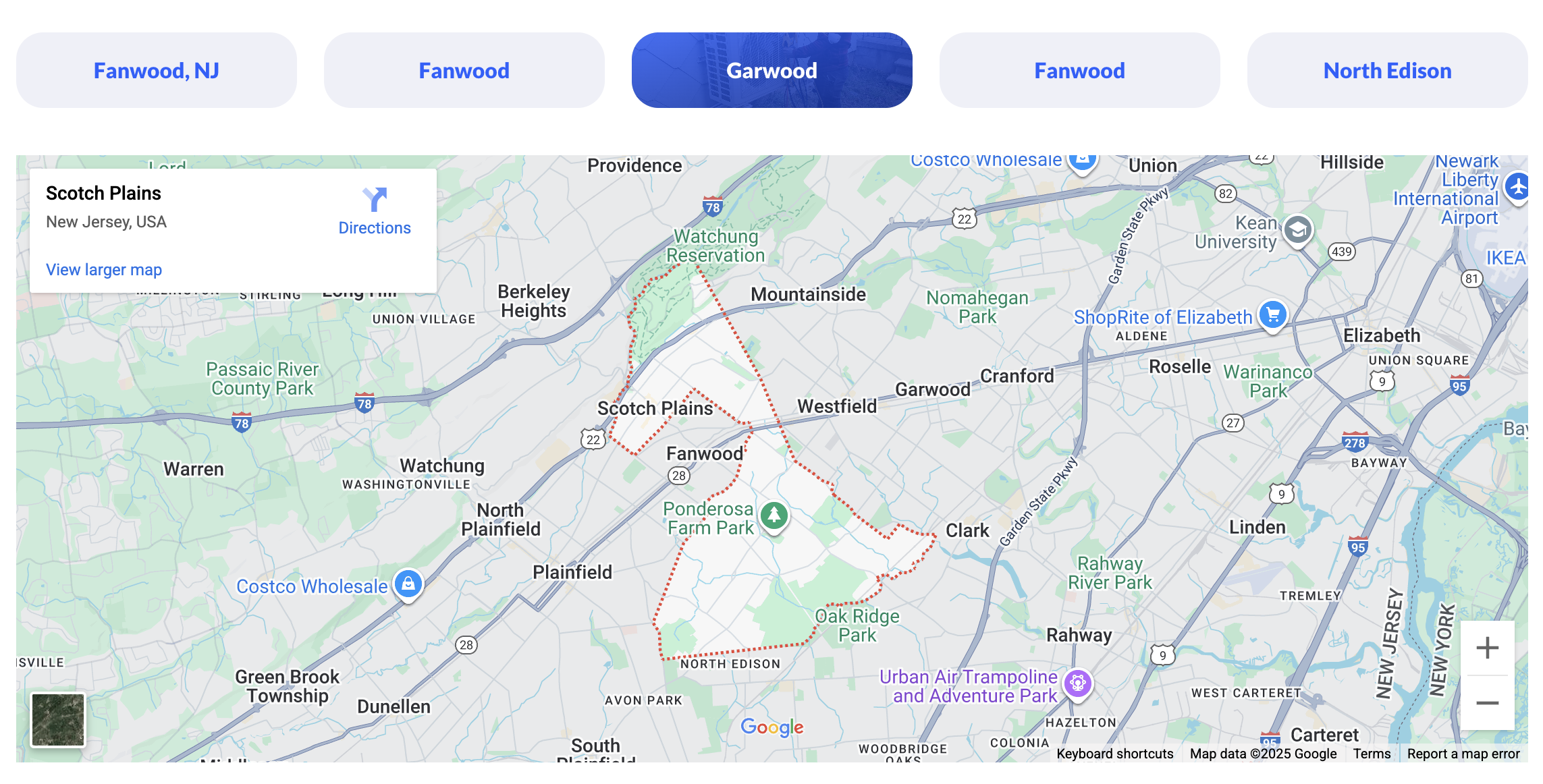
- Embedding Google Maps or service area info
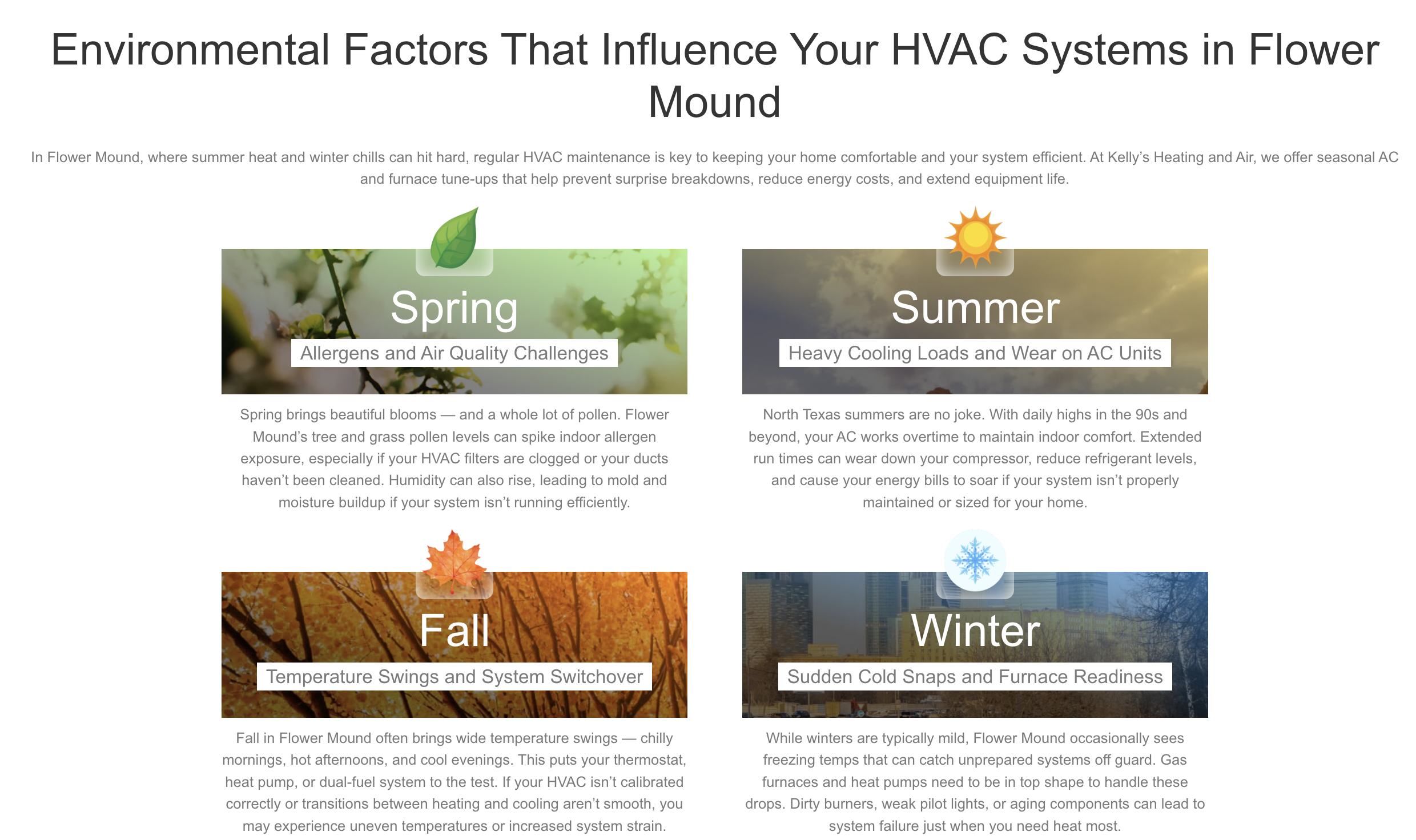
- Including locally relevant information for the client’s region, such as “Environmental Factors That Influence Your HVAC Systems in Dallas” or details about weather patterns, utility costs, or building styles that impact heating and cooling needs.
Technical SEO for Service Pages
Even the best content won’t perform if your page loads slowly or is hard to crawl. Technical SEO involves:
- Fast site speed and mobile-friendly design
- Clean URL structures
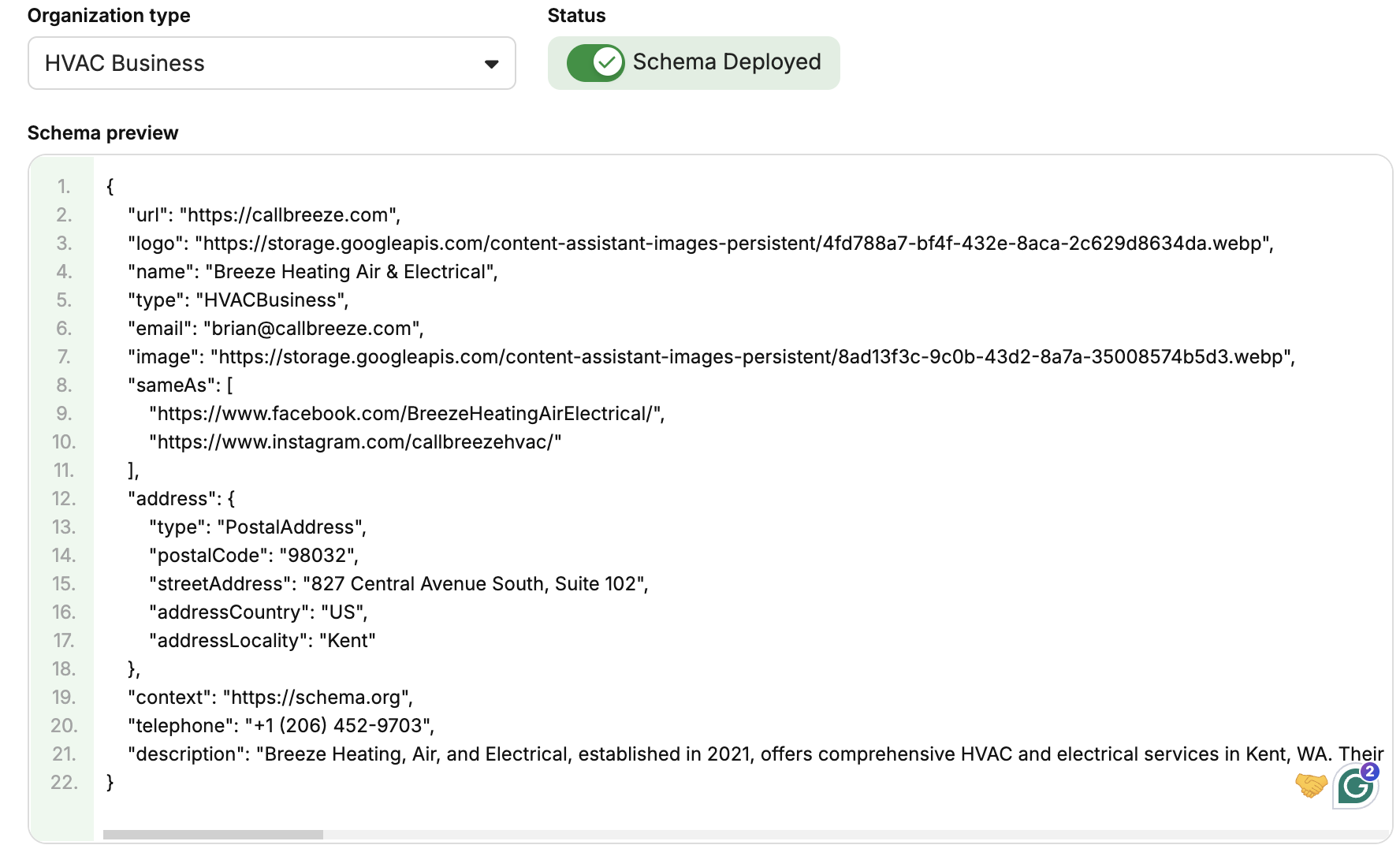
- Schema markup so search engines understand your services
Now that you know what goes into SEO for service pages, let’s look at why optimization is so critical for HVAC businesses
The Importance of an Optimized HVAC Service Page
Have you ever wondered why, even though Google Search Console shows plenty of impressions and clicks, your HVAC service pages still aren’t converting? The problem usually isn’t traffic; it’s outdated content and a lack of proper optimization.
An HVAC service page is meant to do the heavy lifting: explain your services, build trust with homeowners, and guide them toward action. But if it isn’t built with proper HVAC service page optimization and conversion in mind, those clicks won’t turn into phone calls, estimate requests, or booked appointments. Instead, you risk handing potential jobs over to your competitors.
They Drive the Right Traffic to Your Business
A well-planned HVAC website service page optimization strategy makes sure your page shows up when someone searches for “AC repair near me” or “furnace installation in [your city].”
Instead of attracting random clicks, effective HVAC SEO for service pages helps Google connect your HVAC services with homeowners who are actively looking for what you do. The result isn’t just more traffic, it’s the right traffic ready to call for help.
They Turn Visitors Into Customers
An AC service page isn’t just about showing up in search; it’s about turning homeowners into paying customers. Clear messaging about your services, upfront pricing details, and strong calls-to-action like “Schedule AC Repair Today” help guide someone from “just browsing” to “book my service.”
This is where on-page SEO for service pages makes a difference. By structuring your HVAC content with headings, keywords, and a logical flow, you make your page easy for both homeowners and search engines to understand, building trust and encouraging action.
They Set You Apart From Competitors
In a competitive HVAC market, your service page is often the first impression that decides whether someone calls you or your competitor. A bland, generic page that just says “we do heating and cooling” blends in with everyone else. But by optimizing your HVAC service pages, you can highlight what makes you stand out: customer reviews, financing options, emergency service, or guarantees.
Add an element of local SEO for service pages by weaving in service areas and city names, and you’ll show up when nearby homeowners need you most. That’s how you move from just competing to becoming the go-to HVAC company in your area.
Step-by-Step Guide To Optimizing Your HVAC Service Page
Below is a practical, HVAC‑specific playbook you can follow for any service page (AC repair, furnace installation, heat pumps, duct cleaning, etc.). It balances conversion and service page SEO—so you get found and booked.
1) Research Intent & the SERP (See What Google Rewards)
Before you write or optimize a service page, look at the search results for your main keyword (for example, “AC repair in Plano, TX”). This shows you what Google already thinks is helpful for homeowners searching for that service.
Here’s what to check:
- Top 5 pages: Open the top competitors’ service pages. What do they include: pricing ranges, service process, guarantees, FAQs, photos, reviews? This tells you the “baseline” content you need to match or improve on.
- SERP features: Look at what else appears on the results page: “People Also Ask” questions, local map listings, or FAQ drop-downs. These are extra opportunities to add content that Google clearly values.
- Content gaps: Ask yourself, “What are these pages not explaining that homeowners might care about?” For example, they may list “AC repair” but don’t explain common causes of breakdowns, or they don’t mention financing. That’s your chance to stand out.
- Fuel your FAQ section: Use the “People Also Ask” questions as inspiration for the FAQ block at the bottom of your service page.
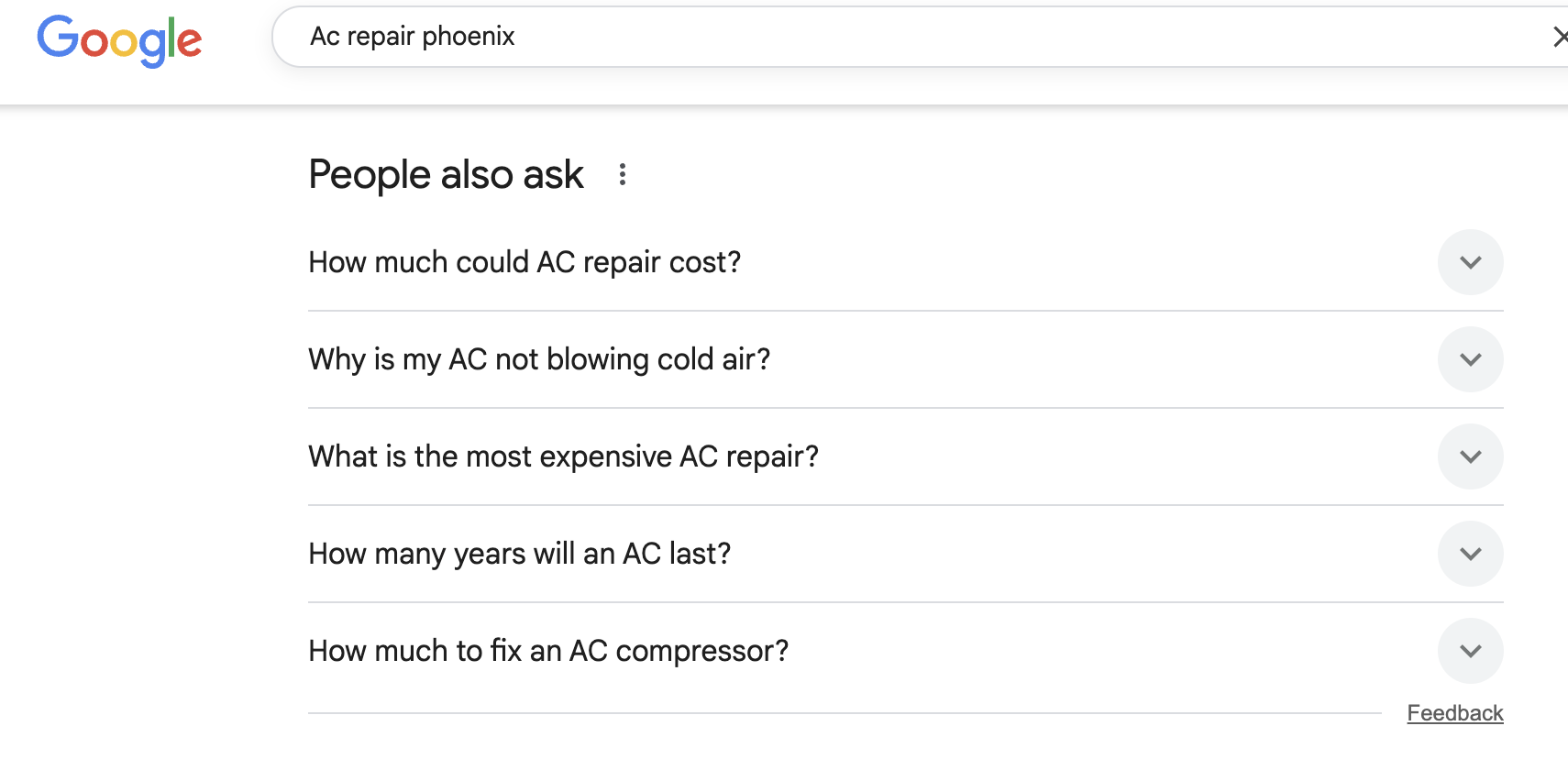
In short, instead of guessing what to include, you’re letting Google (and your competitors) show you exactly what works—then you build something even better.
2) Define the Page’s Job (One Page = One Service)
Another measure to take before starting to optimize the service page, clarify what the page is meant to do. A service page should provide information about one specific service, not a mix of everything you offer. That focus makes it easier for both customers and search engines to understand.
- Pick one primary service + one primary city/area per page (e.g., “AC Repair in Plano, TX”).
- Identify the main action you want visitors to take—whether that’s calling your office, filling out a quote form, or scheduling an appointment online.
- Decide on one primary keyword (e.g., “AC repair Plano”) and 2–4 supporting terms (e.g., “air conditioning repair,” “emergency AC repair,” “same-day HVAC repair”).
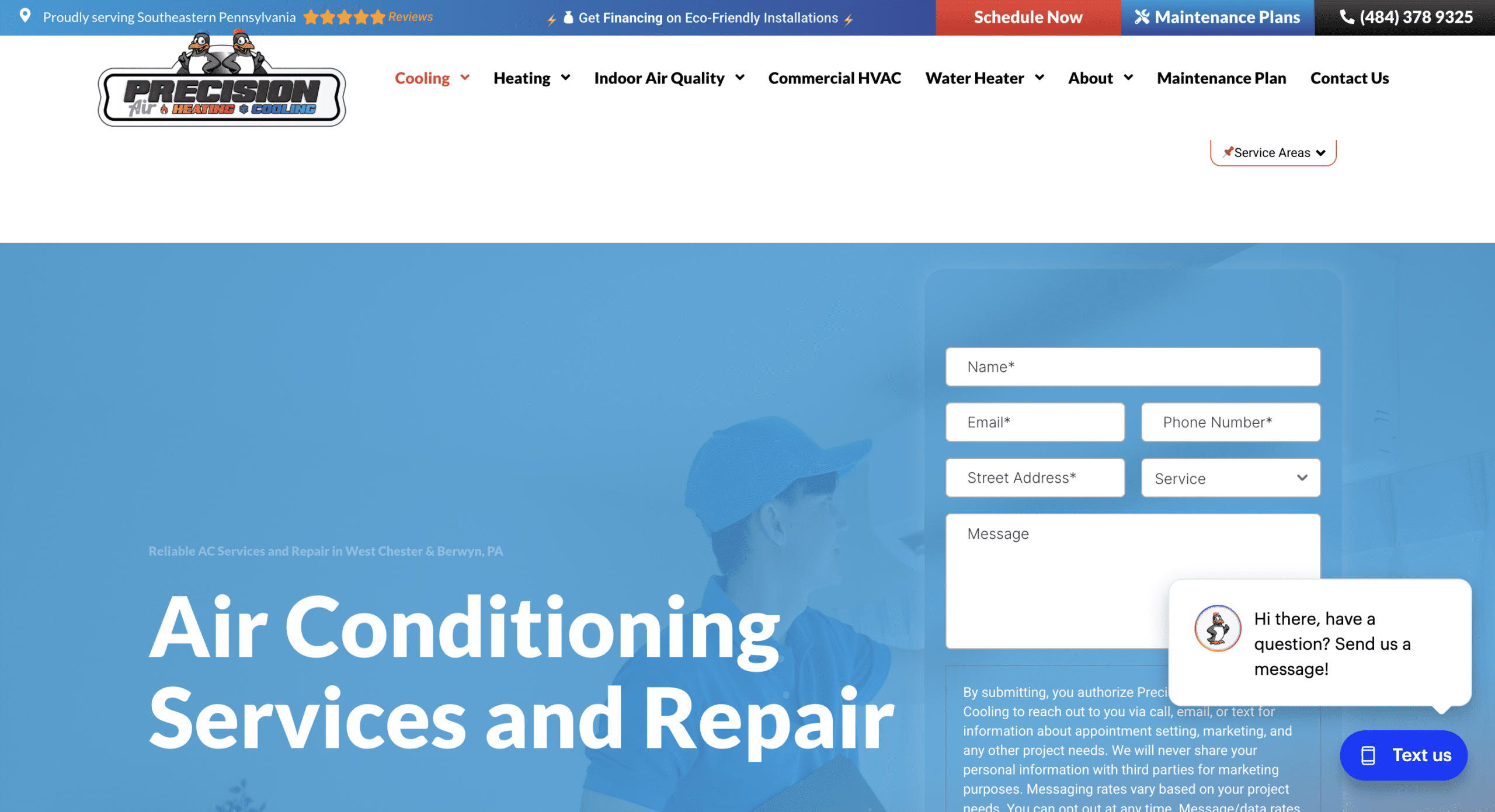
Precision Air Heating & Cooling is a great example to follow. Their AC Repair service page is built around air conditioning repair–related keywords while targeting a single location—West Chester.
Right at the top, they feature a form CTA that makes it easy for visitors to take action immediately. Further down, they clearly explain what air conditioning repair involves, giving homeowners both clarity and confidence in their services.
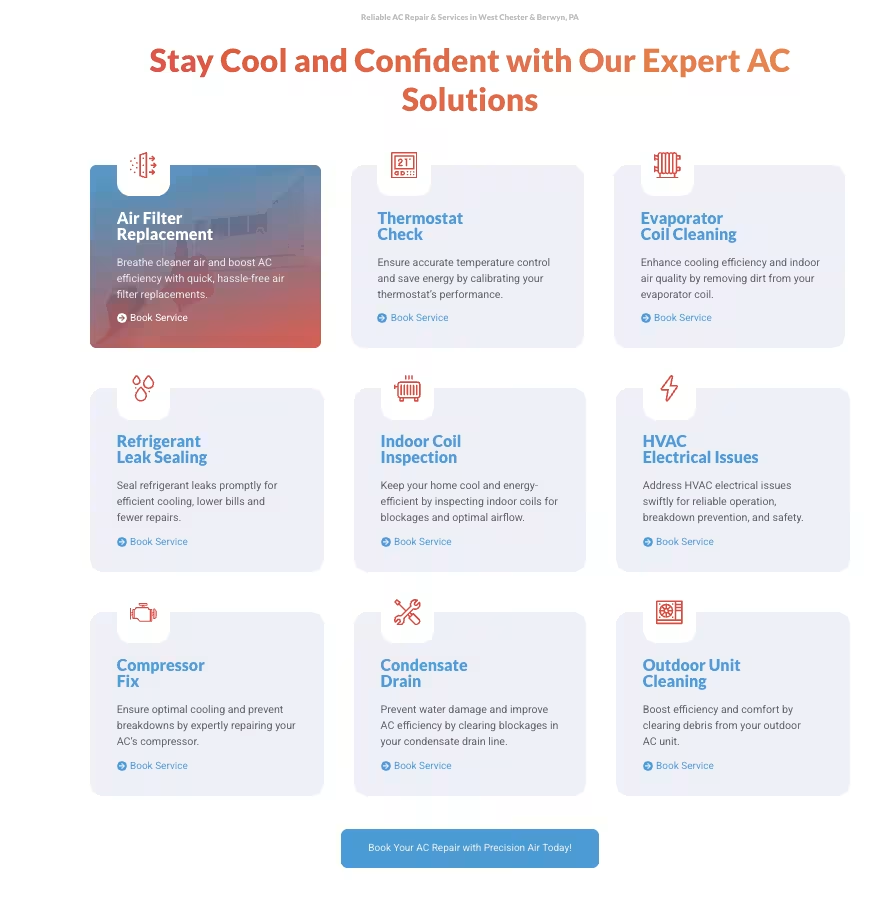
Quick win: Don’t combine “AC installation” and “AC repair” on one page. Split them so each service has its own dedicated space to rank and convert.
3) Lock your URL, title, and H1

- Meta Title (≤60 characters): Air Conditioning Repair in Plano, TX | Fast, Reliable HVAC Service
- Meta Description (≤155 characters):
Stay cool with same-day AC repair in Plano. Friendly technicians, fair prices, and guaranteed comfort. Call today or book your service online in minutes!
- H1: AC Repair in Plano, TX
(You can vary city names per page. This supports local SEO for service pages without stuffing.)
4) Build a conversion-first hero section
- Headline: Adjective+ service + city (“Fast AC Repair in Plano, TX”)
- Subhead: Benefit + trust (“Licensed technicians. Upfront pricing. Same‑day service.”)
- Primary CTA: “Call Now” (tap‑to‑call on mobile) and “Book Online”
- Proof: Star rating, review count, badges (licensed/insured, EPA certified), and financing icon.
5) Explain the service (what’s included & how it works)
Use scannable H2/H3s and bullets:
- Symptoms we fix: warm air, short cycling, breaker trips, and ice on lines.
- What we check: thermostat, filters, capacitor, contactor, refrigerant levels, compressor, coils, and drain line.
- Your repair visit: diagnosis (fee), approval, repair, quality check, warranty.
- Time & warranty: typical visit length; parts/labor coverage.
This section improves on‑page SEO for service pages and reduces calls that ask “what do you actually do?”
6) Add localized trust signals (rank and reassure)
- Areas served (city list), map embed, and NAP (Name, Address, Phone) consistent with your GBP.
- Local proof: “Serving Plano, Murphy, and Richardson for 12+ years.”
- Neighborhood cues: “We regularly service homes in Canyon Creek & Timbercreek.”
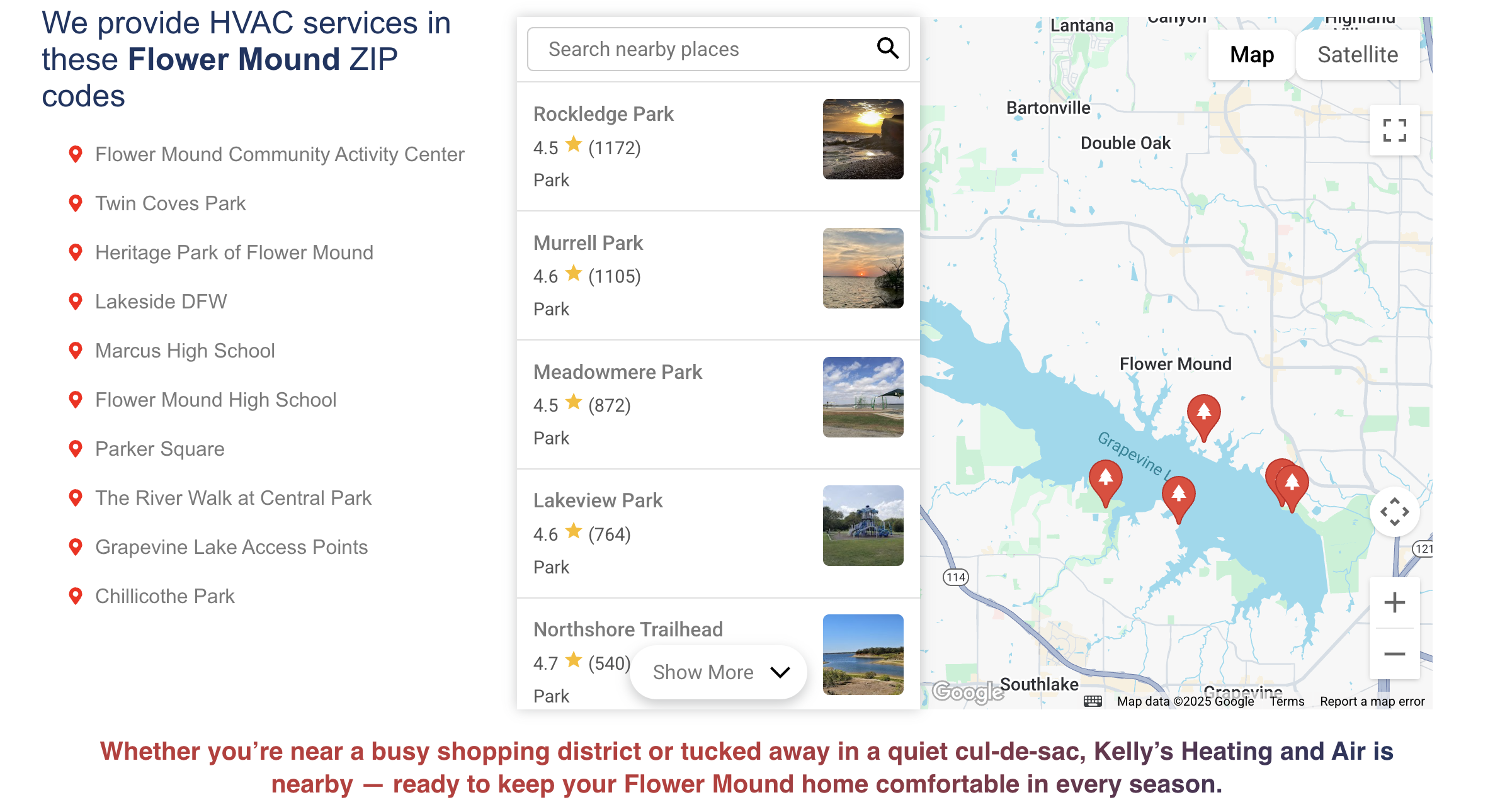
This is your local SEO for service pages foundation.
7) Showcase social proof & guarantees
- 3–5 short reviews specific to that service (AC repair, not generic).
- Before/after photos (coil cleaning, condenser swap).
- Guarantees: “No‑surprise pricing,” “Fix‑it‑right warranty,” “Clean‑home pledge.”
- Badges: Brands you service (Trane, Lennox, Goodman), certifications, insurance.
8) Be transparent about pricing (without scaring away)
- Use ranges and what affects cost:
- “Most AC repairs range from $180–$750. Pricing depends on parts like capacitors, contactors, or motors.”
- Add financing and promotions:
- “0% APR for qualified installs,” “$59 diagnostic—waived with repair.”
Clarity here increases conversions and cuts price‑shopping.
9) Add helpful educational content (keep it simple)
- Maintenance tips: filter changes, clear debris around condenser, thermostat settings.
- When to repair vs. replace: age, repair frequency, energy bills, R‑22 systems.
- Seasonal content: “Spring tune‑ups reduce summer breakdowns.”
This supports service page SEO by covering homeowner intent.
10) Design for scannability & speed (UX = SEO)
- Short paragraphs, bullets, clear H2/H3s.
- Load fast: compress images, lazy‑load, limit heavy scripts.
- Mobile‑first: large tap targets, legible fonts, avoid thin tap areas, maintain the website regularly.
- Accessibility: alt text for images (“Technician replacing AC capacitor”), strong color contrast.
Google rewards pages that are easy to use.
11) Internal linking that actually moves the needle
- From the page, link to:
- Related services: AC installation, AC maintenance, duct cleaning.
- Location pages: “HVAC in Plano,” “HVAC in Richardson.”
- Buyer‑help content: “AC not cooling? 7 quick checks.”
- From other pages, link to this page with natural anchors:
- “Need AC repair in Plano?” / “Book air conditioner repair today.”
This strengthens topical authority and helps visitors self‑navigate.
12) Add the right schema (copy‑paste starter)
For HVAC websites, schema markup helps search engines clearly understand your business and services. You’ll want to use two layers of schema:
HVAC Business Schema (Sitewide)
Add this across your entire website to define your company details—business name, address, phone number, service areas, and hours. This gives Google consistent, structured data about your business.
Service Schema (Per Service Page)
On each service page, include a schema specific to that service. For example, on your air conditioning repair page, use a Service schema that describes “AC Repair,” links back to your main HVAC Business schema, and highlights the city/region you serve.
This dual approach, HVAC Business schema sitewide + Service schema on individual pages, makes it easier for Google to connect your company to each service you provide, boosting visibility in local and service-specific searches.
<script type=”application/ld+json”> { “@context”: “https://schema.org“, “@type”: “Service”, “@id”: “https://yourdomain.com/ac-repair-plano-tx/#service“, “name”: “AC Repair”, “serviceType”: “Air Conditioner Repair”, “url”: “https://yourdomain.com/ac-repair-plano-tx/“, “description”: “Same-day AC repair in Plano, TX. Licensed technicians, upfront pricing, and guaranteed workmanship.”, “provider”: { “@id”: “https://yourdomain.com/#org” }, “areaServed”: { “@type”: “Place”, “name”: “Plano, TX” }, “availableChannel”: “InPerson”, “hasOfferCatalog”: { “@type”: “OfferCatalog”, “name”: “AC Repair Services”, “itemListElement”: [ { “@type”: “Offer”, “name”: “Diagnostics & Troubleshooting”, “price”: “Call for quote”, “priceCurrency”: “USD” }, { “@type”: “Offer”, “name”: “Capacitor/Contactor Replacement”, “price”: “Call for quote”, “priceCurrency”: “USD” }, { “@type”: “Offer”, “name”: “Refrigerant Leak Check & Recharge”, “price”: “Call for quote”, “priceCurrency”: “USD” } ] }, “serviceOutput”: “Restored cooling performance and system reliability”, “termsOfService”: “https://yourdomain.com/terms/“, “providerMobility”: “dynamic”, “image”: “https://yourdomain.com/assets/ac-repair-tech.jpg” }
13) Write FAQs that match “People Also Ask”
Add 4–6 Q&As (short, direct answers):
- How much does AC repair cost in [City]?
- How fast can you come out? (same‑day windows)
- What brand ACs do you repair?
- What if my AC is running but not cooling?
- Do you waive the diagnostic fee with repair?
- Are you licensed and insured?
This captures long‑tail searches and improves UX.
👉 Want to see a real example of this checklist in action? Take a look at Kelly’s Heating and Air’s Flower Mound service page.
Do’s and Don’ts for Service Page Optimization
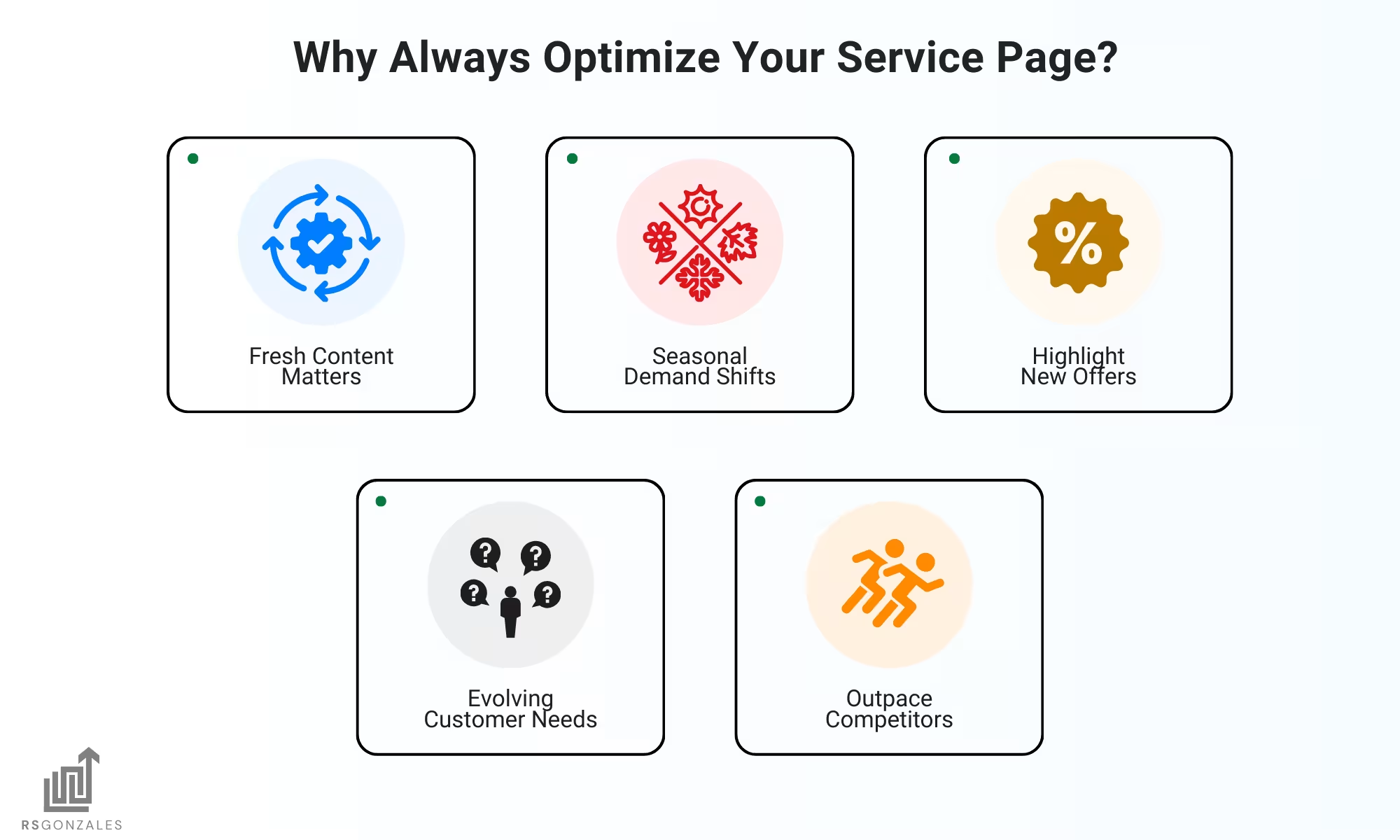
5 Reasons Why You Should Always Optimize Your Service Page Every 6 Months
Your service page isn’t something you can publish once and forget. Just like your HVAC system, it needs regular tune-ups to stay effective. Here’s why updating and maintaining website service pages every six months pays off:
Quick HVAC Website Service Page Optimization Checklist
- [ ] Research intent & SERP: Review top 5 pages, SERP features (PAA, map pack), note content gaps, pull PAA for FAQs
- [ ] Define the page’s job: One service + one city; pick the primary action (call/form/booking); set 1 core keyword + 2–4 supporting keywords
- [ ] Lock URL, Title, H1 (+ Meta): SEO‑friendly slug; compelling title; clear H1; punchy meta description
- [ ] Conversion‑first hero: Service + city headline, trust badges, review stars, primary CTAs (call/book), quick proof
- [ ] Explain the service: Symptoms, what’s included/checked, process (diagnose → approve → repair), timing & warranty
- [ ] Local trust signals: Areas served, Google Map embed, NAP consistency, neighborhood cues
- [ ] Social proof & guarantees: 3–5 service‑specific reviews, before/after photos, guarantees, brand/cert badges
- [ ] Transparent pricing: Realistic ranges, what affects cost, promos/financing (e.g., waive diagnostic with repair)
- [ ] Helpful education: Simple tips, repair vs. replace guidance, seasonal notes (cooling/heating)
- [ ] UX = SEO: Scannable H2/H3s, short paragraphs, fast load, mobile‑first, basic accessibility
- [ ] Internal linking: To related services, city pages, and buyer‑help content; add inbound links with natural anchors
- [ ] Right schema: Sitewide schema should be HVACBusiness, and for a service page, it should be relevant to the service.
- [ ] FAQs: 4–6 concise Q&As (cost, speed, brands, common issues, licensing, diagnostic policy)
The RS Gonzales Way of Maintaining Website Service Pages
Your service pages aren’t “set it and forget it.” They’re living, breathing parts of your site, and if you want them to keep driving calls and leads, they need regular care. Search trends change, customer needs shift, and seasons bring new demand.
At RS Gonzales, we don’t just talk about best practices; we use them every day. The checklist you’ve read here is the same in-house process we follow to keep our clients ranking year-round.
From summer AC tune-ups to winter furnace installs, we make sure service pages stay fresh, competitive, and converting.
Further Reading
Because at the end of the day, polished pages don’t pay the bills, optimized ones do. And that’s exactly what we deliver!