

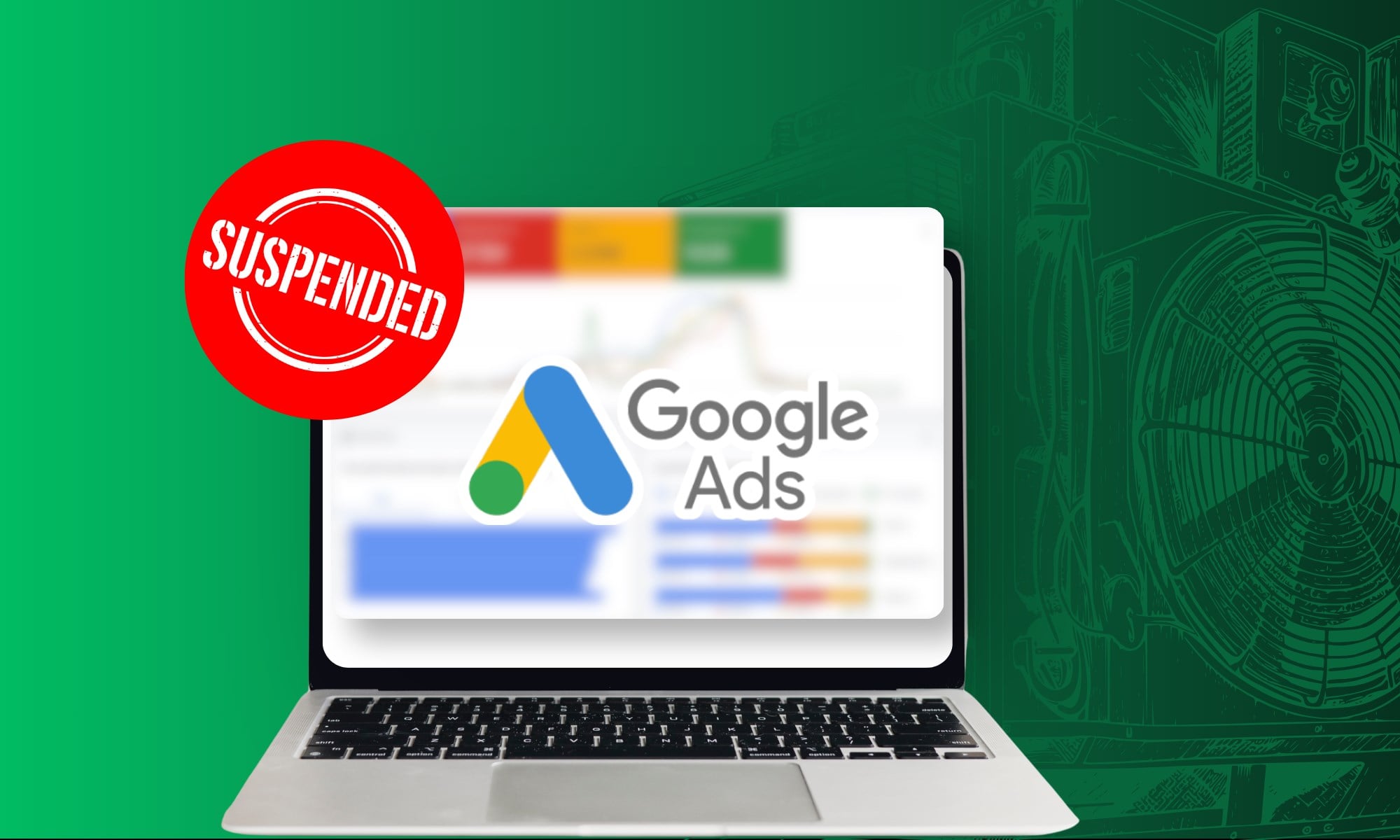
Most owners reach for one of two fixes: call Google or create a new account under a new email. A new account makes things worse because Google sees it as a way around the suspension and can suspend it too. What gets an account back is finding the rule Google says you broke, fixing it everywhere it shows up, and sending an appeal that proves the fix.
In this blog, we cover how to tell a suspension from smaller problems, five reasons HVAC accounts get suspended, what to do in the first 48 hours, how to write the appeal, and how to keep it from happening again. A suspended Google Business Profile is a different problem, and what gets an HVAC Google Business Profile suspended follows its own rules, separate from the ad account.
Is Your HVAC Google Ads Account Suspended, or Is One Ad Disapproved?
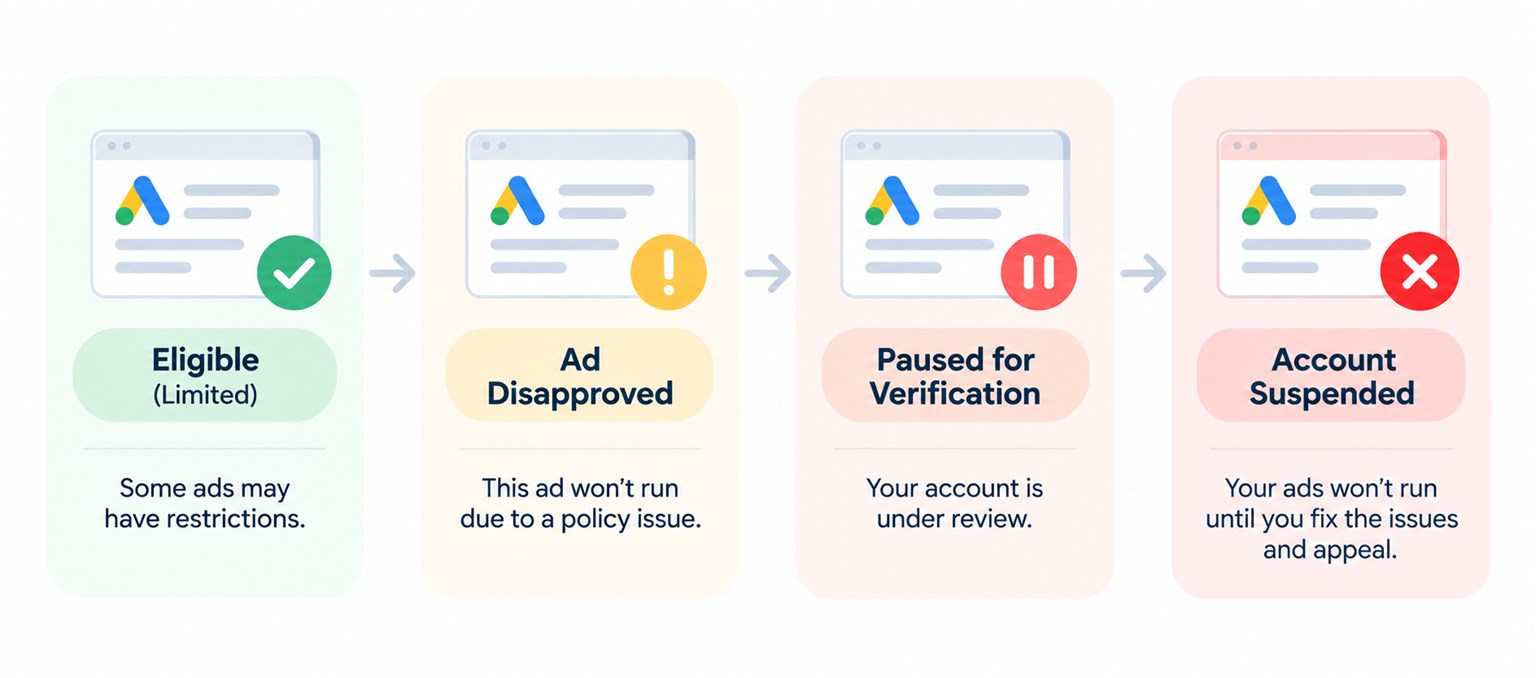
Google uses four labels when ads stop or slow down, and only two of them switch off the whole account. The label decides the fix, so find yours before you change anything. It shows in the notification bar at the top of your Google Ads account, or in the Status column next to each ad.
| What Google shows | What stopped | What usually caused it | How it gets fixed |
|---|---|---|---|
| Account suspended | Every ad in the account, and Google may suspend linked accounts too | A serious policy breach, warnings that piled up, or a billing problem | An appeal sent from inside the account |
| Account paused for verification | Every ad, until verification is finished | Missing Google’s deadline to confirm who runs the business | Finish advertiser verification |
| Ad disapproved | One ad, while the rest keep running | That ad, or the page it sends people to, broke a policy | Fix the ad or the page, then ask Google to review it again |
| Eligible (limited) | Nothing stops, but the ad shows in fewer places or at fewer times | A rule that limits where that kind of ad can run | Usually nothing, unless the limit is costing you calls |
A suspension is the serious one. Google says every ad in a suspended account stops running, the account cannot advertise until it is reinstated, and related accounts may be suspended with it.
Check your Local Services Ads as well. Those are the listings at the top of Google with the Google Verified badge, and Google began moving them into Google Ads for U.S. HVAC companies in August 2026. Once yours have moved, they live in the same account, so a suspension can take them down at the same time.
Five Reasons Google Suspends HVAC Google Ads Accounts
Most suspensions in HVAC trace back to five causes, and the first two are paperwork rather than anything in your ads. Google sorts its rules into two groups. Breaking an egregious rule, Google’s word for its most serious rules, suspends the account immediately with no warning, while repeat problems under the other rules get a warning at least seven days before a suspension.
1. Advertiser Verification Is Late, Incomplete, or Doesn’t Match
Google asks advertisers to prove who runs the business, a check it calls advertiser verification. Four things about it catch HVAC companies most often:
- A missed deadline pauses the whole account. Your ads stop until you finish verification, and Google will not extend the deadline.
- Information that does not hold up can get the account suspended. A pause ends when you finish the check, while a suspension needs an appeal, so send documents you can stand behind.
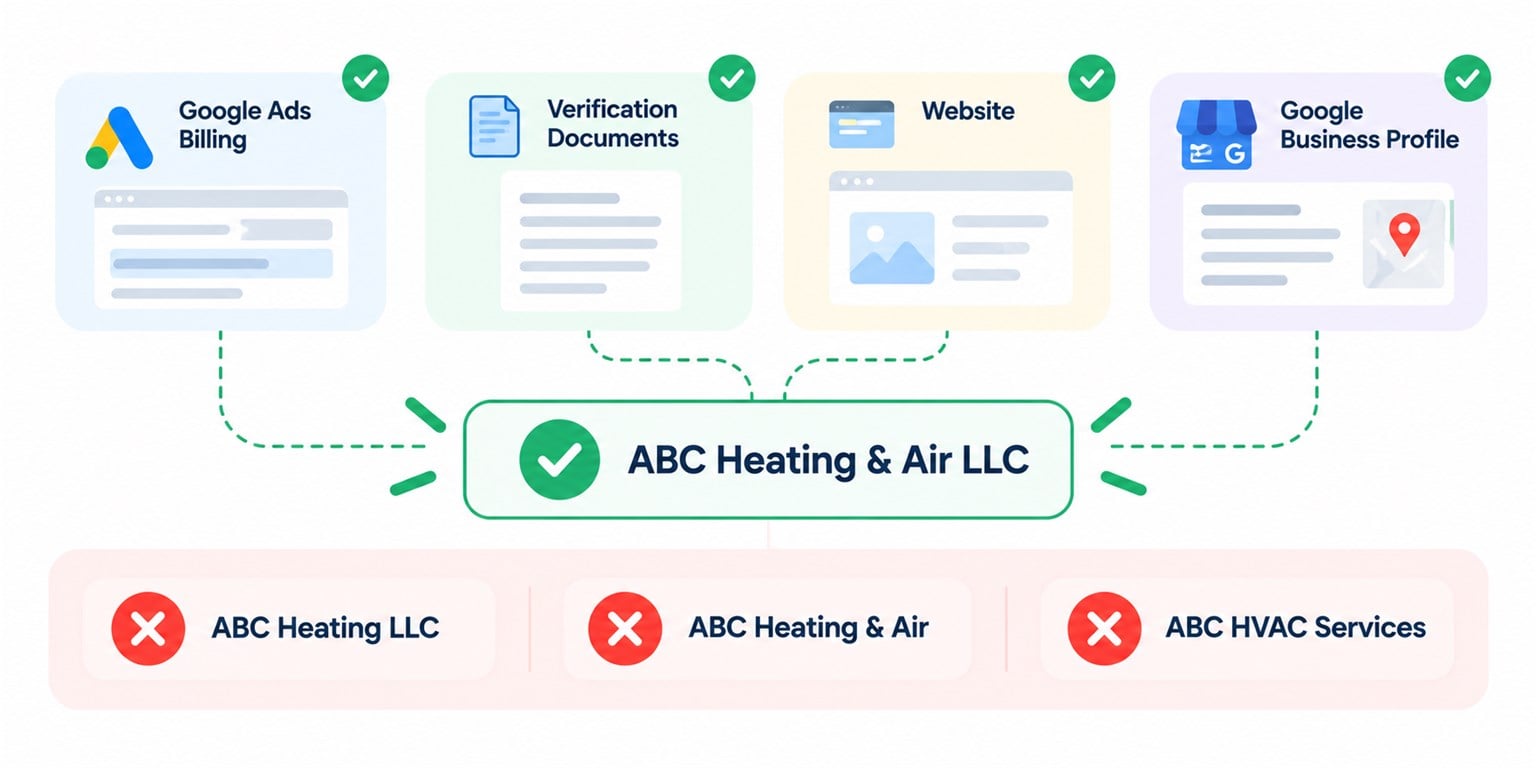
- The business name has to match everywhere. If your billing profile shows one legal name, your documents show another, and your trucks show a third, the check stalls. Changing the legal name on your billing profile starts a new verification, so make that change only when the matching paperwork is in hand.
- HVAC companies do not need advanced verification. You may have heard otherwise. Advanced verification is a longer check with a video call that takes weeks, and Google’s local services policy requires it for locksmiths and garage door companies in the U.S., not HVAC.
2. A Card Declines or a Payment Looks Suspicious
Google’s billing and payment policy covers an unpaid balance, payment activity that looks suspicious, and chargebacks. A chargeback happens when you ask your bank to reverse a charge, and Google treats one on a legitimate charge as a policy problem. An expired card nobody noticed during a busy week can start it.
To appeal a billing suspension, Google may ask you to verify the payment method within 30 days. That can mean a small temporary charge of $1.95, a payment, or an ID and proof of address with names that match the account.
If you think Google billed you wrongly, take it up with Google rather than your bank. The bank dispute feels like the faster fix, and it is the one that can cost you the account.
3. Your Ads or Website Claim a License You Don’t Hold
Google treats false claims about licenses or qualifications as an unacceptable business practice, one of its egregious rules. The account is suspended as soon as Google finds it, with no warning first. Ad text that makes you look like another company falls under the same rule.
For an HVAC company, this is often a stale claim rather than a lie. It might be a website line saying “licensed in Maryland and Virginia” after one license lapsed, a certification badge for a technician who left, or a landing page copied from another market that names a license you never held there.
The fix is to make every claim on every page true today. Remove anything you cannot back up with a current document, then appeal.
4. A New Account Gets Opened to Get Around a Problem
Circumventing systems is Google’s name for trying to get around its rules, and it is another egregious one. Google’s examples include opening new accounts to get back in after a suspension, running two or more accounts to spread out ads that break the rules, and giving false information during verification.
This is why an owner should never open a fresh account while the old one is suspended. Google may suspend any new account the same advertiser creates, and then there are two suspensions to explain instead of one.
Old accounts count too. An account a previous agency opened under your business, or one you started years ago and forgot, can tie back to you, so list every account before you appeal.
5. Warnings Pile Up Into Strikes
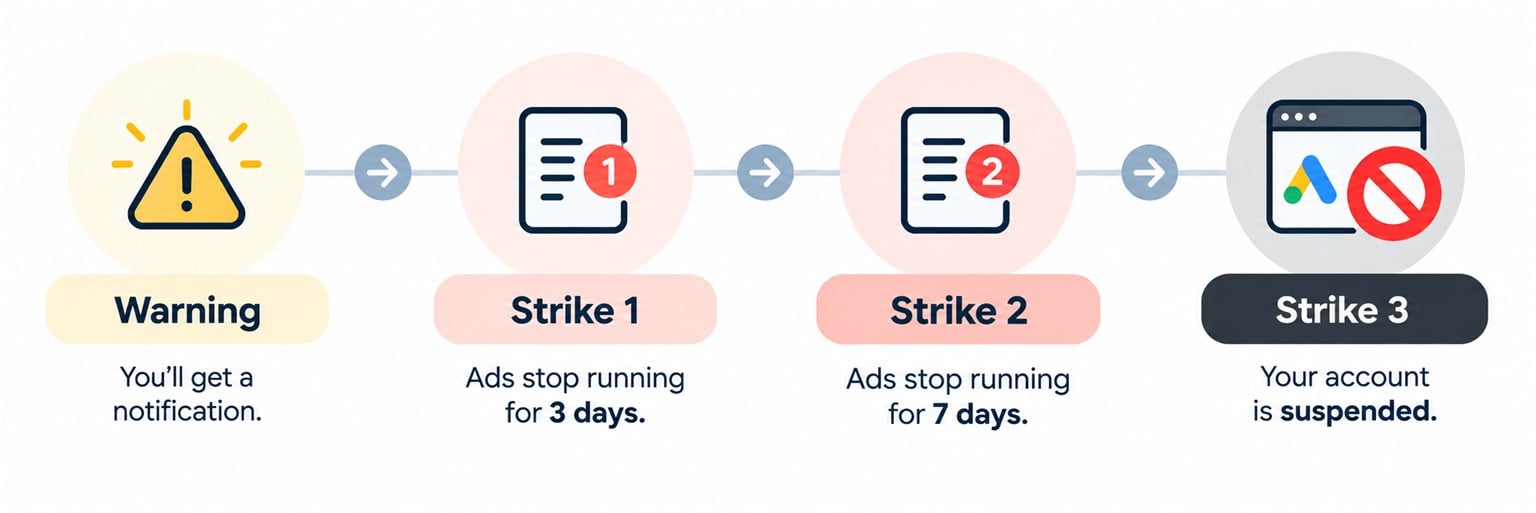
Some rules run on a strike system. The first problem earns a warning. After that, strike one puts the account on hold for three days, strike two for seven days, and strike three suspends it.
Three rules trip up HVAC ads most often. The first two run on strikes, and the third can get an ad disapproved:
- Clickbait. Shocking or fear-based ad text written to get the click counts as clickbait. For an HVAC company, that is often a carbon monoxide or “your family is at risk” line written to scare rather than inform.
- Misleading ad design. An ad built to look like something it is not, such as a system alert or a warning message, falls under misleading ad design.
- A phone number that doesn’t reach your company. Google can disapprove an ad whose phone number is inactive or doesn’t connect to the advertised company, and that includes a call tracking number that rings somewhere other than your office.
Warnings arrive by email, inside the account, and in a busy season they go unread. An unread warning is how a fixable ad problem turns into a suspended account.
What Should an HVAC Owner Do in the First 48 Hours After a Google Ads Suspension?
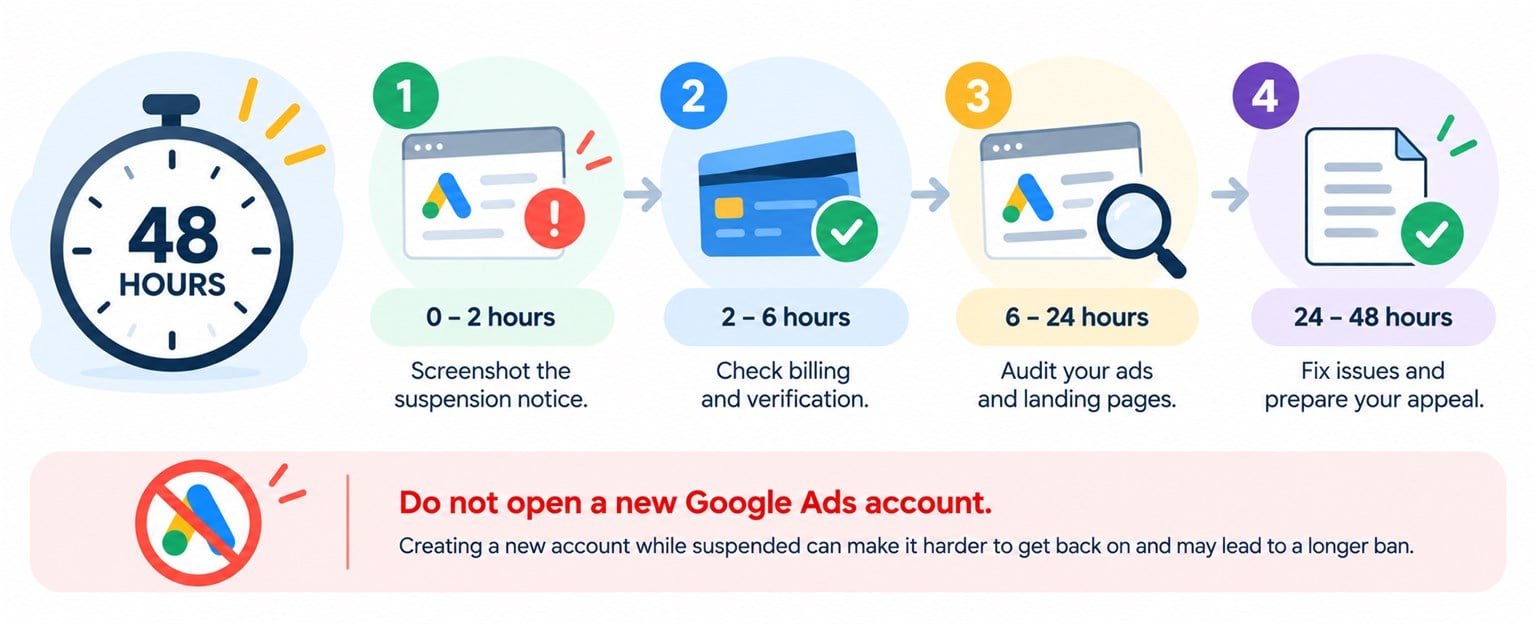
The first two days decide whether the appeal is a clean fix or a long fight. Work through these in order before you write a word to Google:
- Leave the account alone, and do not open a new one. A second account counts as getting around the suspension, and Google can suspend it too.
- Screenshot the notice and write down the policy it names. The policy name tells you what to fix. If the notice is vague, check billing and verification first, because both are quick to rule out.
- Check your billing profile and verification status. Look for a declined card, an unpaid balance, a missed verification deadline, or a legal name that differs between your billing profile and your documents.
- Read every ad and landing page against the policy. A landing page is the page someone reaches after clicking your ad. Check every license, certification, warranty, price, and phone number on it, and remove anything you cannot prove today.
- Keep calls coming from your other sources. Post updates on your Google Business Profile, email past customers about tune-ups, and ask your technicians to mention referrals while the ads are down.
If an agency or a former employee set up the account, ask them for the full notice and a list of every account connected to your business. You cannot write an honest appeal about accounts you do not know exist.
How Do You Write a Google Ads Appeal That Gets an HVAC Account Back?
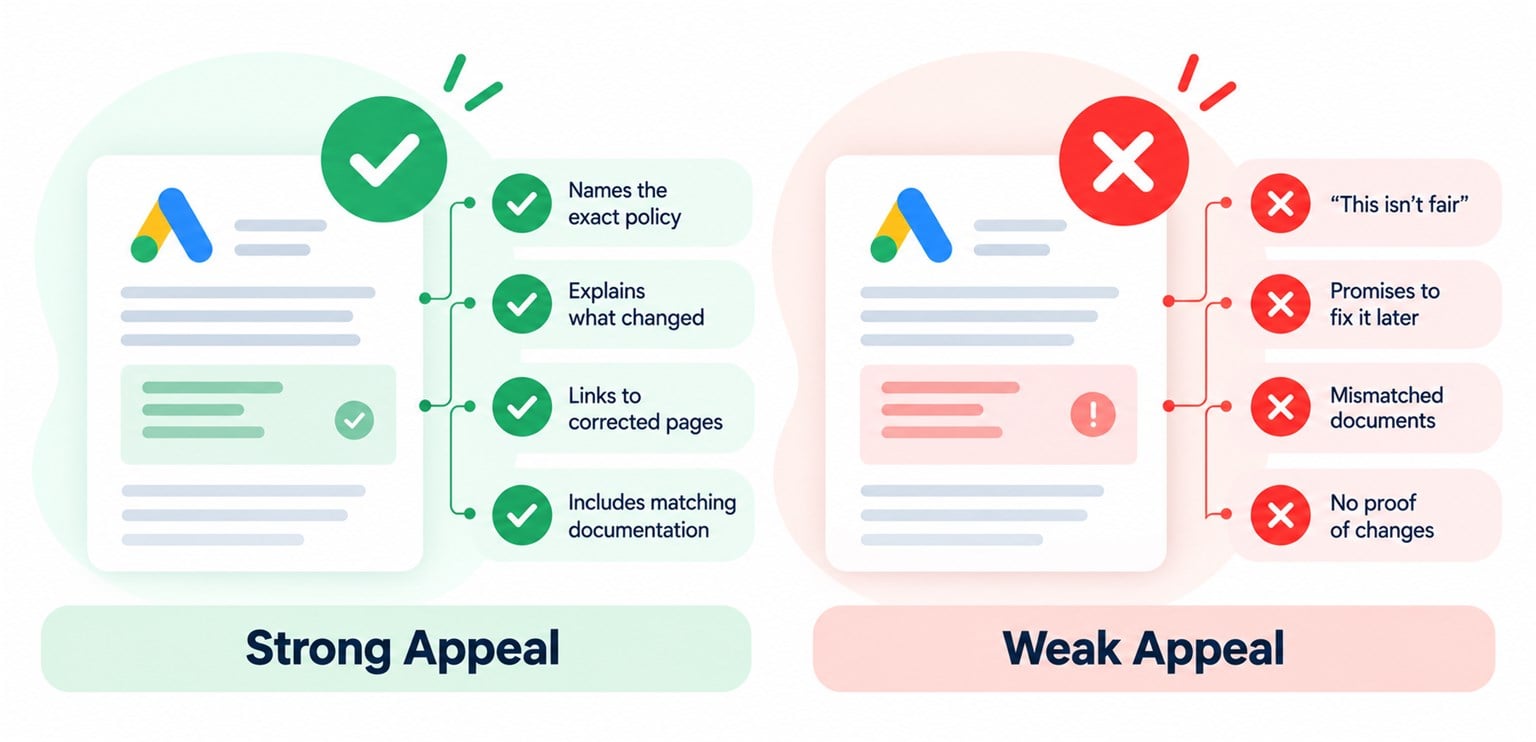
An appeal is a short written case showing that you fixed the problem Google named. You send it from inside the account by selecting the Contact Us link in the notice at the top of the screen, and Google may ask you to finish verification before it lets you appeal at all.
Google gives every advertiser at least six months from the suspension date to appeal, so take the time to fix everything first. There is less room for second tries, because Google says it may not process repeated appeals for the same suspension. It asks for appeals that are “thorough, accurate, and honest.”
| Put this in your appeal | Leave this out |
|---|---|
| The exact policy named in the notice | Anger at Google, or how much money the suspension is costing you |
| What you changed, with the web address of every page you changed | Promises to fix things later |
| Proof that matches the account, such as your license and business registration under the same legal name as your billing profile | Documents showing a different business name with no explanation |
| If you have more than one account, why, and how the others were resolved | Anything you cannot back up with a document or a live page |
A single disapproved ad gets a lighter process. In Google Ads, open Tools, then Policy manager, select Appeal next to the ad, and say whether you dispute the decision or changed the ad to comply. Google allows three appeals per ad, at least 24 hours apart.
How Can an HVAC Company Keep Its Google Ads Account From Being Suspended Again?
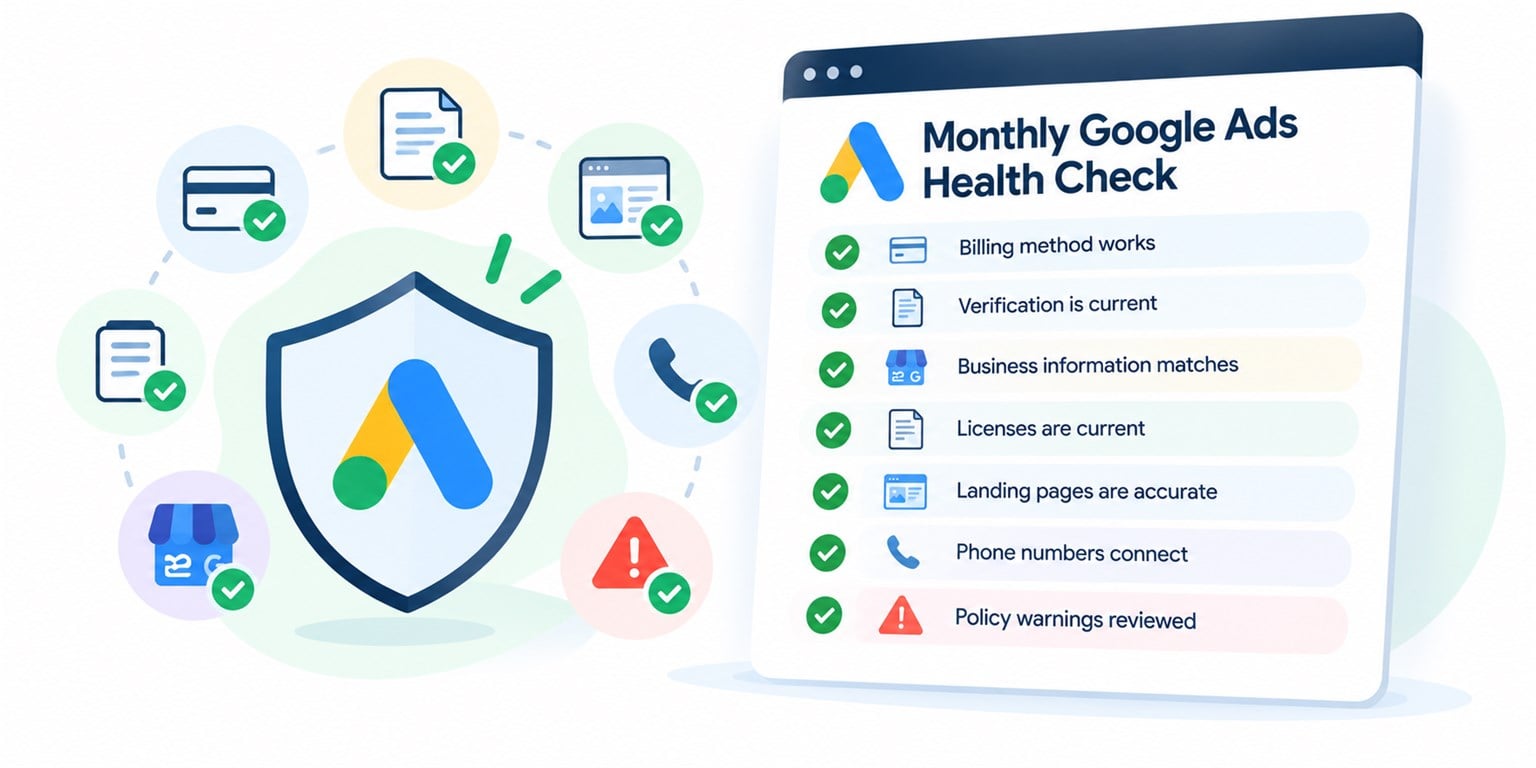
Once the account is back, make every cause on the list hard to repeat. Most of the work is upkeep that takes about an hour a month:
- Own the account yourself. Keep your own login, your own billing profile, and your company listed as the owner, even when an agency runs the ads. HVAC advertising run in accounts you own means an agency can leave without taking your history or your verification with it.
- Keep a backup card on file. A second payment method keeps one expired card from switching off your ads in the middle of a cold snap.
- Use one legal name everywhere. Your billing profile, verification documents, website footer, and Google Business Profile should all show the same name.
- Claim only what is true today. Review every license, certification, and warranty line on your website and landing pages twice a year, and again whenever a license renews or a technician leaves.
- Make every phone number reach your office. Call each tracking number from your ads once a month and confirm a person at your company answers. Google may place short test calls of its own.
- Read policy emails the week they arrive. A warning is the cheapest point to fix a problem, and the most expensive one to ignore.
See How We Manage HVAC Google Ads Every Day
Want a Checklist to Work Through While Your Ads Are Down?
The Google Ads Suspension Recovery Checklist takes you through the first 48 hours, the five causes, and the appeal, one box at a time.
Download the Google Ads Suspension Recovery Checklist
So What Should You Do Today if Google Suspended Your HVAC Ads?
A suspended account costs you calls every day it stays dark, and a rushed appeal or a second account makes it harder to get back.
Start with these three:
- Read the notice and write down the policy it names. That one line decides everything you fix next.
- Check your billing profile and verification status. A declined card or a mismatched legal name is the fastest cause to rule out.
- Fix every page before you appeal. Then send one clear, honest appeal that shows exactly what changed and where.
A suspension notice reads like a verdict, and once you know which rule it names, it becomes a list of fixes you can work through and prove.